
Back to Guidelines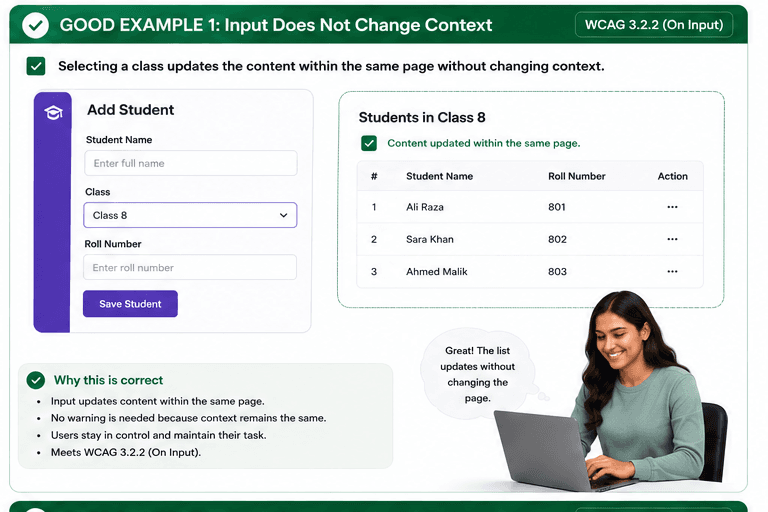
What is On Input?
Changing input does not automatically change context without warning.
Changing input does not automatically change context without warning.
- Keyboard and screen reader users.
- People who need predictable interactions.
- Users who benefit from visible focus and clear labels.
Good vs Bad Examples
Use the tabs to compare the accessible pattern with the example to avoid.
Good Example 1 – Input Stays on the Same Page
html live code
<select aria-label="Class">
  <option>Class 8</option>
  <option>Class 9</option>
</select>
<button type="button">Save Student</button>
Why this is correct (developer logic):
- Selecting a class updates content within the same page.
- Users stay in control and keep their place.
- No warning is needed because context does not change.
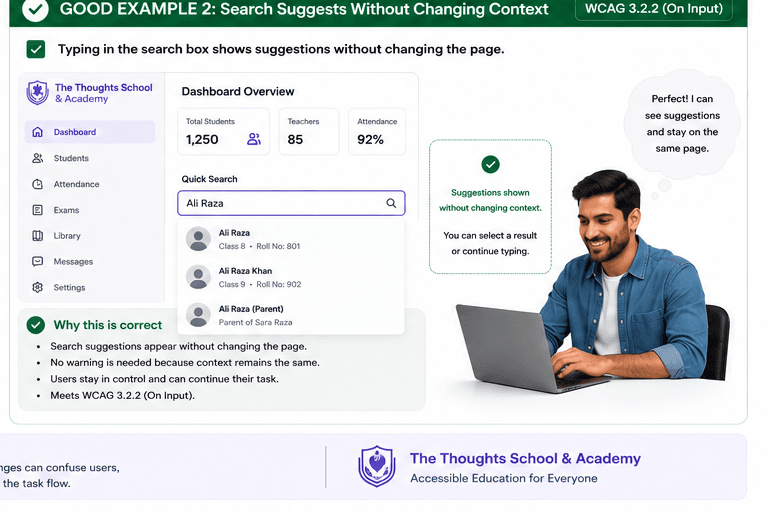
Good Example 2 – Search Suggestions Without Context Change
html live code
<input type="search" aria-label="Quick Search" />
<ul aria-label="Search suggestions"></ul>
Why this is correct (developer logic):
- Typing shows suggestions without changing pages.
- Users can choose a result or keep typing.
- The task continues in the same context.
Implementation Checklist
Progress0 / 5 completed (0%)
Knowledge Check
Answer Yes or No to test your understanding of on input.
Score: 0 / 3 · Answered: 0 / 3