
Back to Guidelines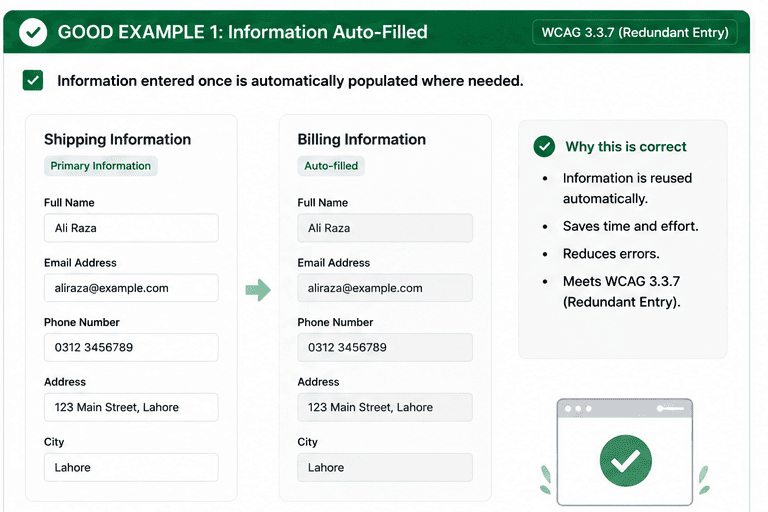
What is Redundant Entry?
Do not require users to re-enter the same information unnecessarily.
- Reuse saved information whenever the user has already provided it.
- Reduce typing on forms that repeat the same shipping, billing, or account data.
- Keep the workflow efficient, predictable, and less error-prone.
Good vs Bad Examples
Use the tabs to compare the accessible pattern with the example to avoid.
Good Example 1 – Information Auto-Filled
html live code
<label><input type="checkbox" /> Use shipping address as billing</label>Why this is correct (developer logic):
- Information is reused automatically when appropriate.
- Users save time and avoid repetitive typing.
- The task feels faster and more accessible.
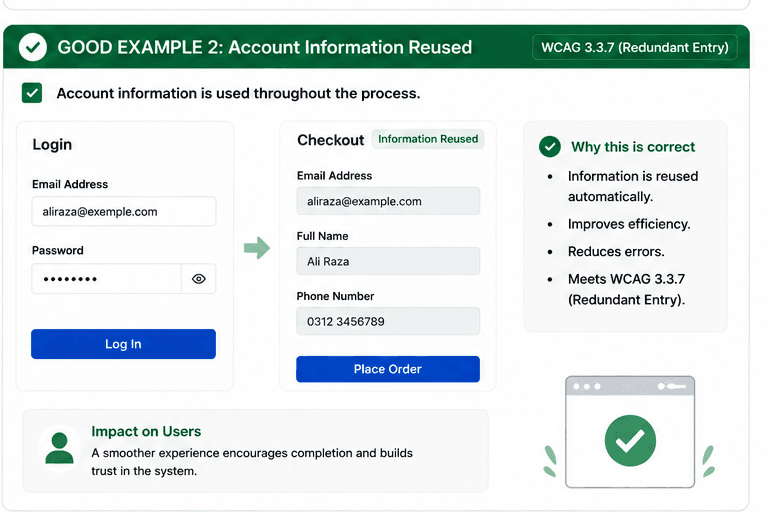
Good Example 2 – Account Information Reused
html live code
<label><input type="checkbox" /> Reuse account information</label>Why this is correct (developer logic):
- Previously entered account information is reused.
- Users can complete the process with less effort.
- The workflow reduces errors and cognitive load.
Implementation Checklist
Progress0 / 5 completed (0%)
Knowledge Check
Answer Yes or No to test your understanding of redundant entry.
Score: 0 / 3 · Answered: 0 / 3