
Back to Guidelines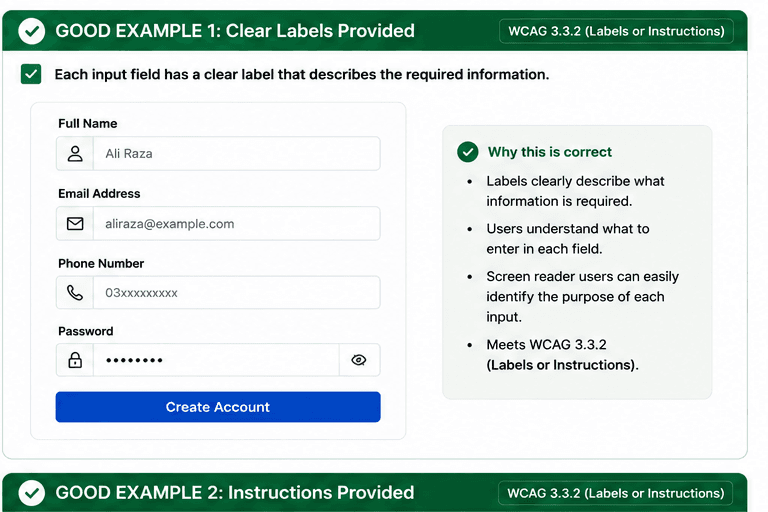
What is Labels or Instructions?
Provide labels and instructions whenever input is required.
- Users know what to enter before they start typing.
- Screen reader users hear the field purpose and requirements.
- Clear instructions reduce errors and repeated retries.
Good vs Bad Examples
Use the tabs to compare the accessible pattern with the example to avoid.
Good Example 1 – Clear Labels Provided
html live code
<label htmlFor="full-name">Full name</label>
<input id="full-name" name="full-name" />
Why this is correct (developer logic):
- Labels clearly describe what information is required.
- Users can identify each field before typing.
- Screen reader users can understand the purpose of the input.
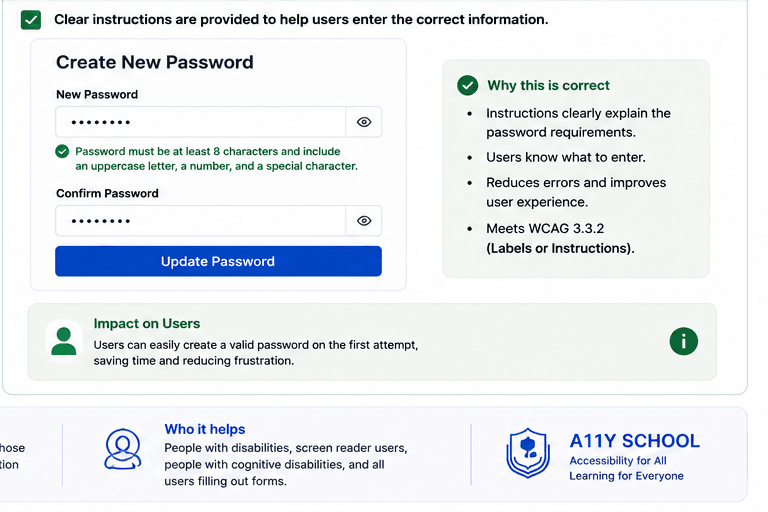
Good Example 2 – Instructions Provided
html live code
<label htmlFor="new-password">New password</label>
<input id="new-password" type="password" />
<p id="pw-help">Use at least 8 characters with a letter, number, and symbol.</p>
Why this is correct (developer logic):
- Instructions explain the format before errors happen.
- Users know exactly what to enter and why.
- The guidance reduces mistakes and improves completion.
Implementation Checklist
Progress0 / 5 completed (0%)
Knowledge Check
Answer Yes or No to test your understanding of labels or instructions.
Score: 0 / 3 · Answered: 0 / 3