
Back to Guidelines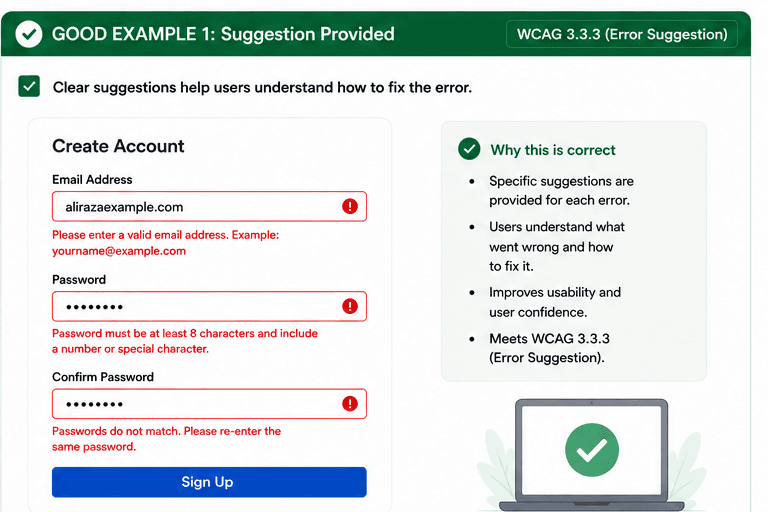
What is Error Suggestion?
Provide suggestions for correcting errors when possible.
- Users can fix mistakes faster when the message explains the problem.
- Specific guidance reduces frustration and abandoned forms.
- Screen reader users hear the error and the suggested correction together.
Good vs Bad Examples
Use the tabs to compare the accessible pattern with the example to avoid.
Good Example 1 – Suggestion Provided
html live code
<p role="alert">Please enter a valid email address. Example: yourname@example.com</p>Why this is correct (developer logic):
- Each error includes a specific fix suggestion.
- Users know what went wrong and how to recover.
- The guidance reduces confusion and abandoned forms.
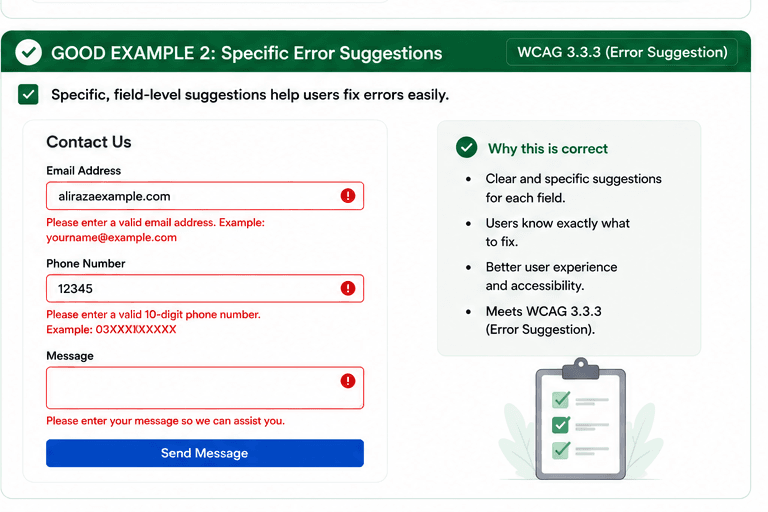
Good Example 2 – Specific Error Suggestions
html live code
<p role="alert">Please enter a valid 10-digit phone number. Example: 03XXXXXXXXX</p>Why this is correct (developer logic):
- The suggestions are clear and field-specific.
- Users can fix the issue without guessing.
- Better guidance improves usability and accessibility.
Implementation Checklist
Progress0 / 5 completed (0%)
Knowledge Check
Answer Yes or No to test your understanding of error suggestion.
Score: 0 / 3 · Answered: 0 / 3