
Back to Guidelines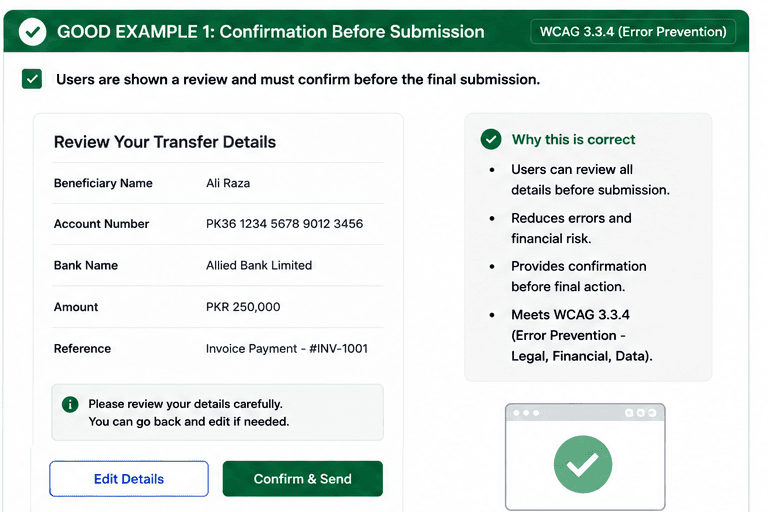
What is Error Prevention (Legal, Financial, Data)?
For important submissions, provide confirmation, review, or reversibility.
- Users can review important details before committing the action.
- High-risk tasks need a confirm or cancel step.
- Undo or reversal options protect people from costly mistakes.
Good vs Bad Examples
Use the tabs to compare the accessible pattern with the example to avoid.
Good Example 1 – Confirmation Before Submission
html live code
<button type="button">Review details</button>
<button type="button">Confirm & Send</button>
Why this is correct (developer logic):
- Users can review details before the final action.
- The confirm step reduces costly mistakes.
- The process is safe for legal and financial tasks.
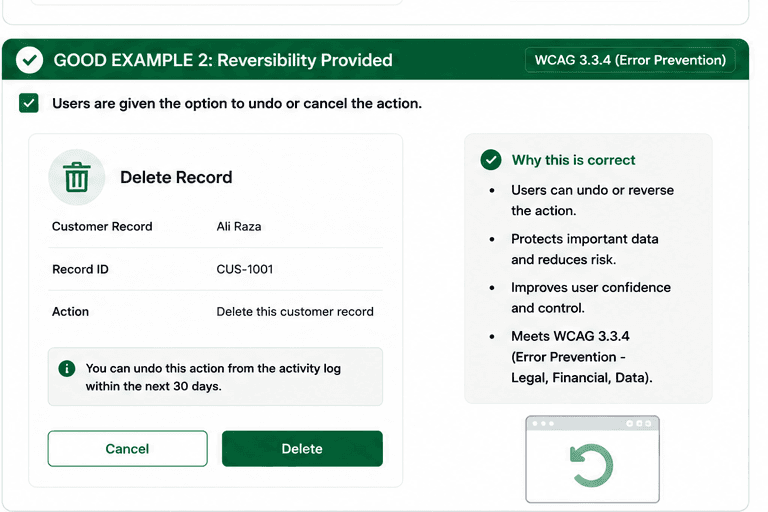
Good Example 2 – Reversibility Provided
html live code
<button type="button">Delete</button>
<button type="button">Cancel</button>
<p>Undo is available in the activity log for 30 days.</p>
Why this is correct (developer logic):
- Users can cancel or undo the action.
- The workflow protects important data.
- Reversibility improves confidence and control.
Implementation Checklist
Progress0 / 5 completed (0%)
Knowledge Check
Answer Yes or No to test your understanding of error prevention (legal, financial, data).
Score: 0 / 3 · Answered: 0 / 3