
Back to Guidelines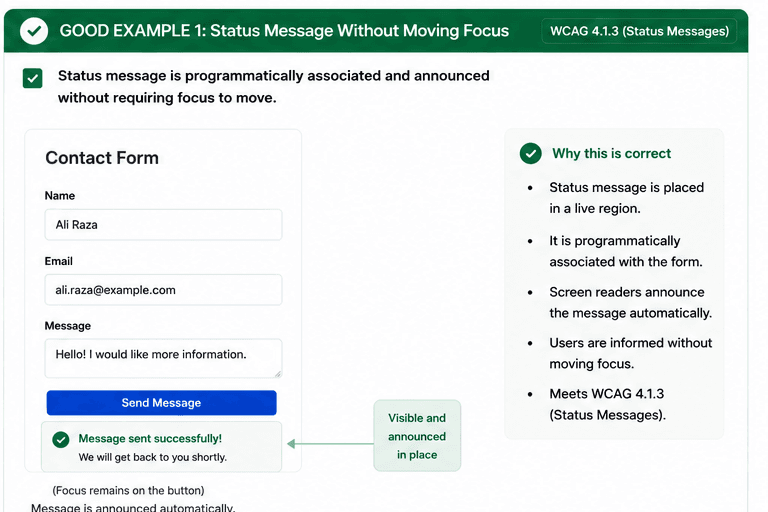
What is Status Messages?
Status messages are programmatically determinable without moving focus.
Good status messages help users hear confirmations, progress, or errors at the moment they happen. They should be tied to the triggering action and stay understandable even when focus does not move.
- Use live regions for status updates that should be announced automatically.
- Keep the message visible and associated with the action that triggered it.
- Avoid forcing focus changes just to reveal the outcome.
Good vs Bad Examples
Use the tabs to compare the accessible pattern with the example to avoid.
Good Example 1 – Status Message Without Moving Focus
html live code
<div role="status" aria-live="polite">Message sent successfully. We will get back to you shortly.</div>Why this is correct (developer logic):
- The status is announced in place.
- Focus stays where the user is working.
- Users get immediate feedback without disruption.
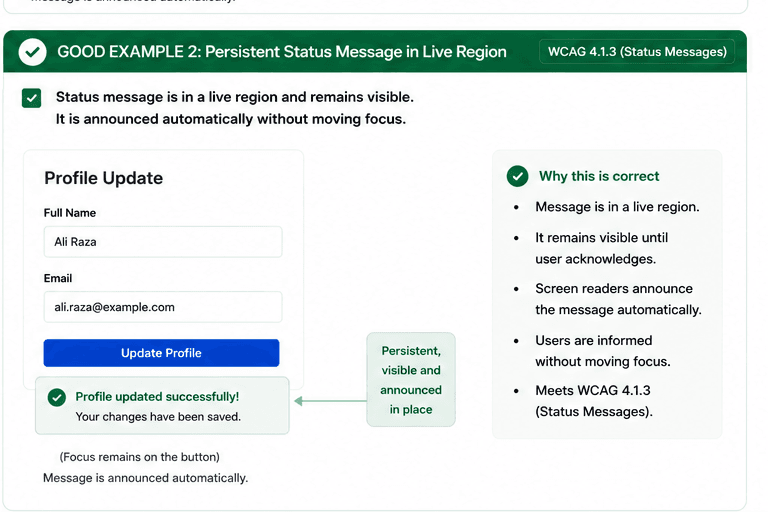
Good Example 2 – Persistent Status Message in Live Region
html live code
<div role="status" aria-live="polite">Profile updated successfully. Your changes have been saved.</div>Why this is correct (developer logic):
- The live region stays visible long enough to be noticed.
- Screen readers can announce the update automatically.
- The user is informed without losing their place.
Implementation Checklist
Progress0 / 5 completed (0%)
Knowledge Check
Answer Yes or No to test your understanding of status messages.
Score: 0 / 5 · Answered: 0 / 5