
Back to Guidelines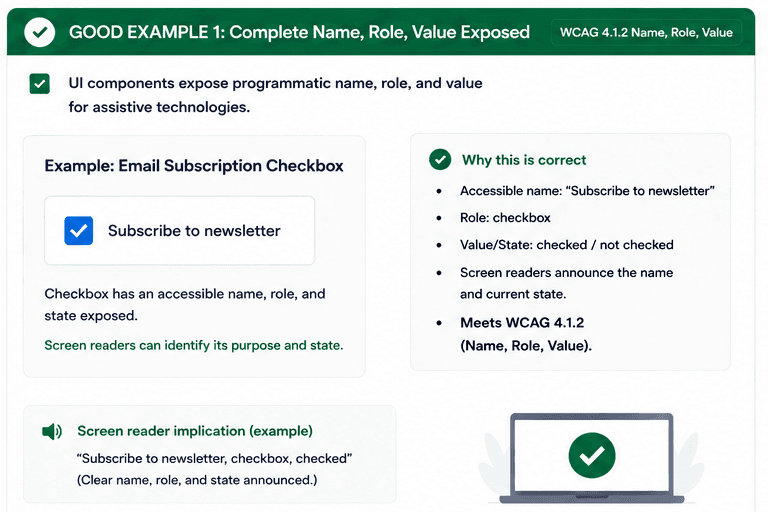
What is Name, Role, Value?
UI components should expose programmatic name, role, and value so assistive technologies can accurately describe what a control is, what it does, and how it changes.
This becomes especially important for custom widgets and dynamic content, because screen reader users need the same clarity that sighted users get from the interface.
- Expose a real accessible name, not just a visual label.
- Make the role and current value/state clear to assistive technology.
- Keep dynamic updates announced so users do not miss changes.
Good vs Bad Examples
Use the tabs to compare the accessible pattern with the example to avoid.
Good Example 1 – Complete Name, Role, Value Exposed
html live code
<label htmlFor="newsletter">Subscribe to newsletter</label>
<input id="newsletter" type="checkbox" />
Why this is correct (developer logic):
- The accessible name matches the visible control text.
- The checkbox role and checked state are exposed.
- Screen readers announce the control purpose and value clearly.
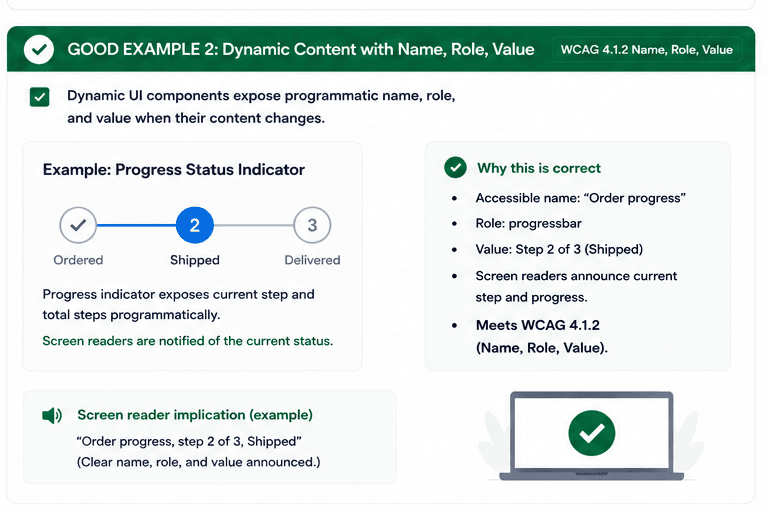
Good Example 2 – Dynamic Content With Name, Role, Value
html live code
<div role="progressbar" aria-label="Order progress" aria-valuemin="1" aria-valuemax="3" aria-valuenow="2">Step 2 of 3</div>Why this is correct (developer logic):
- The status value updates in a way assistive technologies can announce.
- The role tells users what kind of widget it is.
- The current step remains understandable as it changes.
Implementation Checklist
Progress0 / 5 completed (0%)
Knowledge Check
Answer Yes or No to test your understanding of name, role, value.
Score: 0 / 5 · Answered: 0 / 5