
Back to Guidelines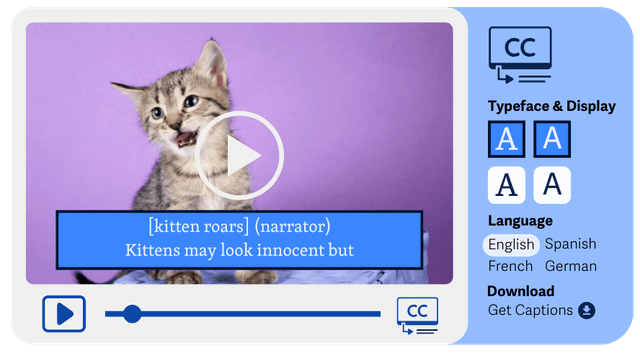
- Perceivable
- WCAG 1.2.2
- Level A
What is Captions for Prerecorded Video?
Captions provide text access to spoken content and important sounds in prerecorded media.
They help users follow dialogue, sound effects, and speaker changes without hearing the audio.
- Deaf and hard of hearing users.
- People in noisy or sound-off environments.
- Users who benefit from reading alongside audio.
- Improves Accessibility
- Better Media Access
- Better User Experience
- Supports Compliance
Good vs Bad Examples
Use the tabs to compare captioned and uncaptured prerecorded media.
Captions provided for prerecorded video
html live code
<Image src="/assets/images/principals/1.2.2-Closed-Captions.png" width={400} height={400} alt="Example of closed captions and their settings in a media player, options to choose the typeface, colors, and language are shown." />Why this is correct:
- Dialogue and important audio cues are captured.
- Captions are synchronized with the prerecorded video.
- Supports WCAG 1.2.2.
Implementation Checklist
Progress0 / 6 completed (0%)
Knowledge Check
Answer Yes or No to test your understanding of prerecorded captions.
Score: 0 / 5 · Answered: 0 / 5