
Back to Guidelines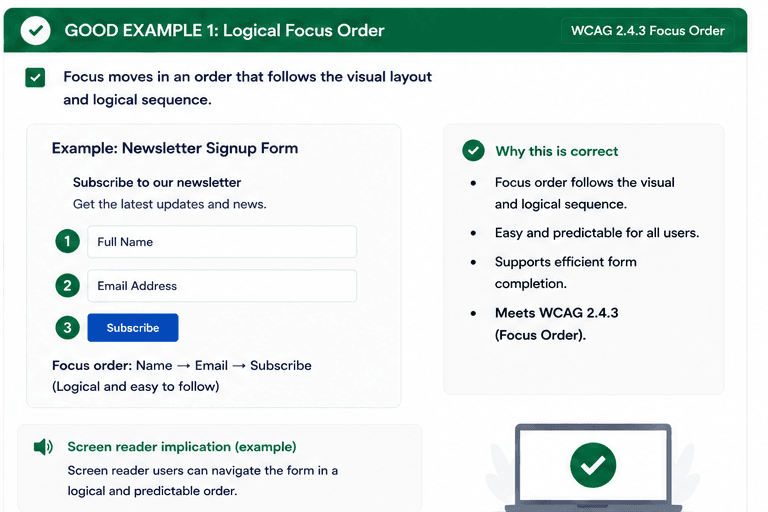
What is Focus Order?
Focus order should match the visual layout and the logical flow of content so keyboard users can move through the page in a way that feels natural and predictable.
When the sequence jumps around or skips important content, people can lose context, miss key information, and struggle to complete tasks efficiently.
- Keep focus aligned with the visual layout.
- Do not skip important content or jump unexpectedly.
- Make the flow easy to understand and complete.
Good vs Bad Examples
Use the tabs to compare the accessible pattern with the example to avoid.
Good Example 1 – Logical Focus Order
html live code
<input />
<input />
<button>Subscribe</button>
Why this is correct (developer logic):
- Focus order follows the visual and logical sequence.
- The form is easy and predictable to complete.
- Keyboard users can move through the page naturally.
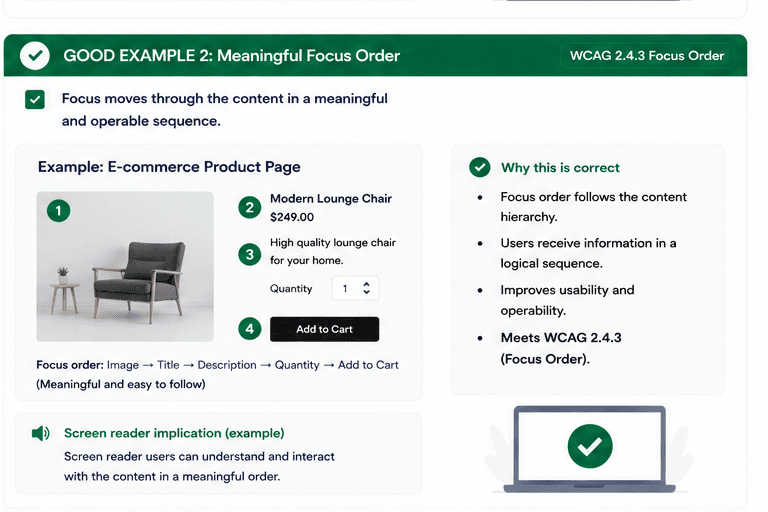
Good Example 2 – Meaningful Focus Order
html live code
<img alt="Chair" />
<input />
<button>Add to Cart</button>
Why this is correct (developer logic):
- Focus follows the content hierarchy.
- Important information is reached in a sensible sequence.
- The experience is efficient and easy to understand.
Implementation Checklist
Progress0 / 5 completed (0%)
Knowledge Check
Answer Yes or No to test your understanding of focus order.
Score: 0 / 5 · Answered: 0 / 5