
Back to Guidelines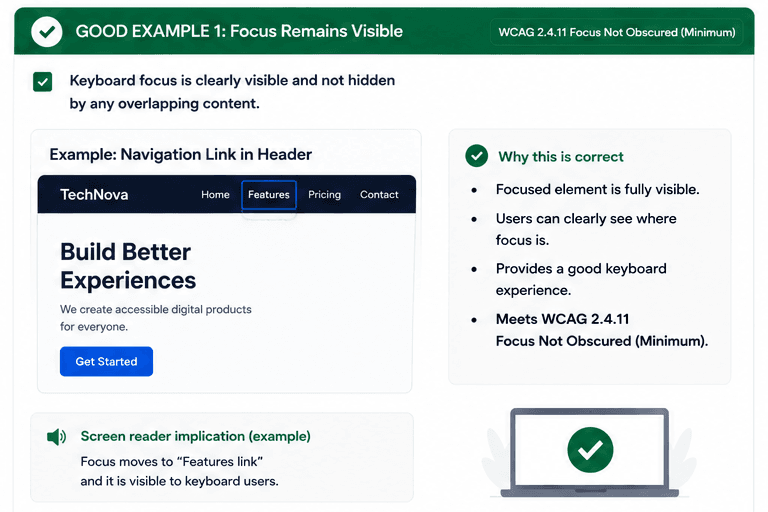
What is Focus Not Obscured (Minimum)?
Keyboard focus should remain visible even when headers, popups, or other overlapping content are on the screen.
This matters because keyboard users must be able to see the active element at every step, especially when a sticky header or dialog might otherwise cover the focus ring.
- Keep the focused control in view at all times.
- Avoid sticky content covering the active element.
- Make sure popups do not hide where focus moved.
Good vs Bad Examples
Use the tabs to compare the accessible pattern with the example to avoid.
Good Example 1 – Focus Remains Visible
html live code
<header className="safe-header">...<input autoFocus />...</header>Why this is correct (developer logic):
- The focused element is fully visible.
- The header does not cover the focus indicator.
- Keyboard users can clearly track where focus is.
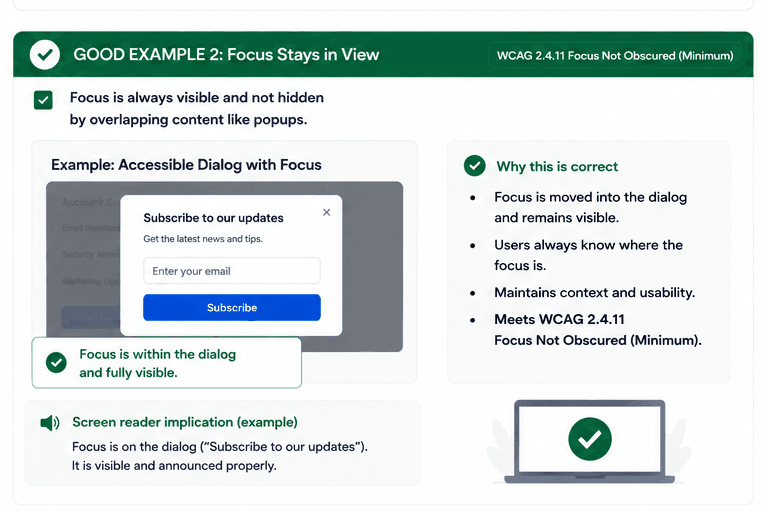
Good Example 2 – Focus Stays in View
html live code
<dialog open>...<button>Subscribe</button>...</dialog>Why this is correct (developer logic):
- Focus is moved into the dialog and remains visible.
- No overlapping content hides the active control.
- Users always know where the focus is.
Implementation Checklist
Progress0 / 5 completed (0%)
Knowledge Check
Answer Yes or No to test your understanding of focus not obscured (minimum).
Score: 0 / 5 · Answered: 0 / 5