
Back to Guidelines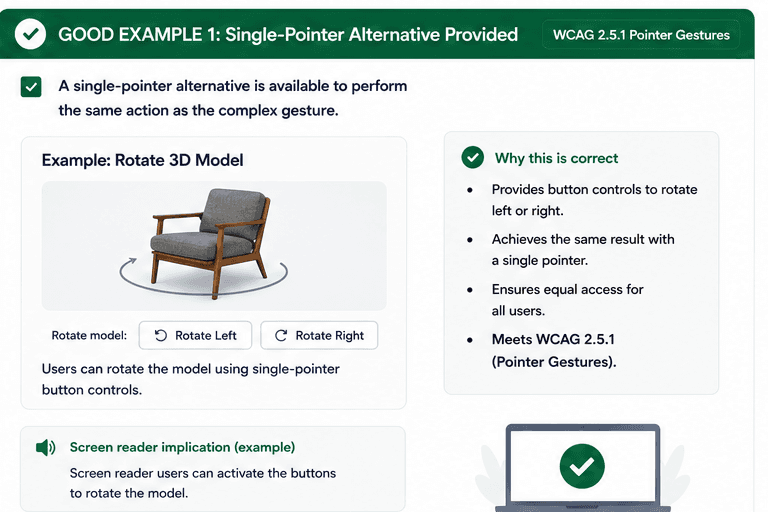
What is Pointer Gestures?
Complex gestures should always offer a single-pointer alternative so users can perform the same task without needing pinch, multi-touch, or other gesture-only input.
This is especially important for voice control, keyboard support, and people with limited mobility who need an equivalent way to rotate, zoom, swipe, or navigate content.
- Provide a single-pointer path for every gesture-based action.
- Keep the same task available through buttons or controls.
- Make sure people with motor limitations are not blocked.
Good vs Bad Examples
Use the tabs to compare the accessible pattern with the example to avoid.
Good Example 1 – Single-Pointer Alternative Provided
html live code
<button type="button" aria-label="Rotate Left">Rotate Left</button>
<button type="button" aria-label="Rotate Right">Rotate Right</button>
Why this is correct (developer logic):
- Users can rotate the model with buttons instead of a complex gesture.
- The same task is available with a single pointer.
- Motor-impaired users are not blocked by gesture-only input.
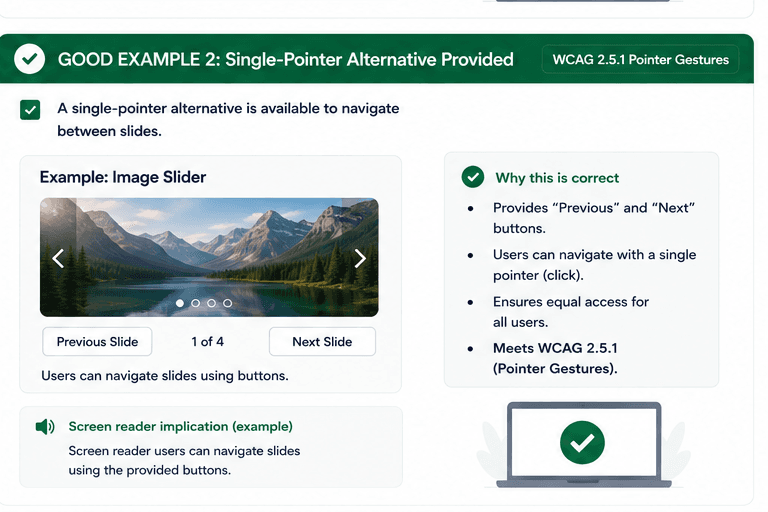
Good Example 2 – Single-Pointer Alternative Provided
html live code
<button type="button">Previous Slide</button>
<button type="button">Next Slide</button>
Why this is correct (developer logic):
- Users can move through slides using buttons.
- Swipe is not the only way to navigate content.
- The interaction remains accessible and predictable.
Implementation Checklist
Progress0 / 5 completed (0%)
Knowledge Check
Answer Yes or No to test your understanding of pointer gestures.
Score: 0 / 5 · Answered: 0 / 5