
Back to Guidelines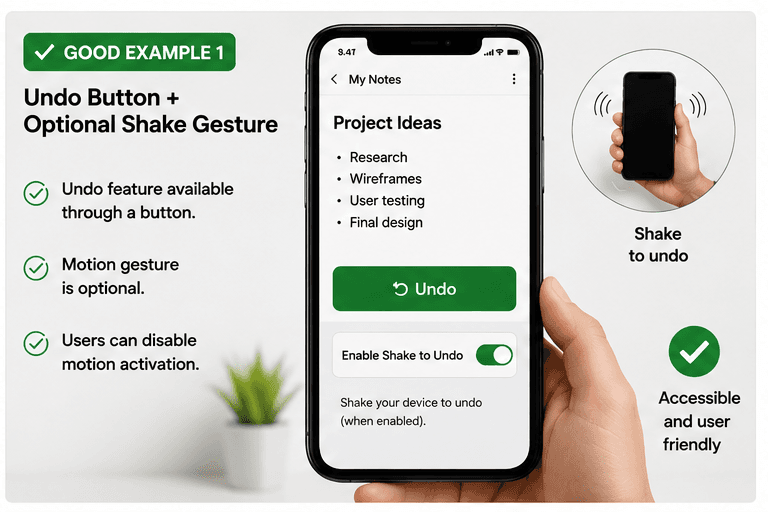
What is Motion Actuation?
Functions triggered by motion have an alternative control and can be disabled.
Functions triggered by motion have an alternative control and can be disabled.
- Keyboard and screen reader users.
- People who need predictable interactions.
- Users who benefit from visible focus and clear labels.
Good vs Bad Examples
Use the tabs to compare the accessible pattern with the example to avoid.
Good Example 1 – Undo Button + Optional Shake Gesture
html live code
<button type="button">Undo</button>
<label><input type="checkbox" /> Enable Shake to Undo (optional)</label>
Why this is correct (developer logic):
- Undo feature is available through a button.
- Motion gesture is optional.
- Users can disable motion activation.
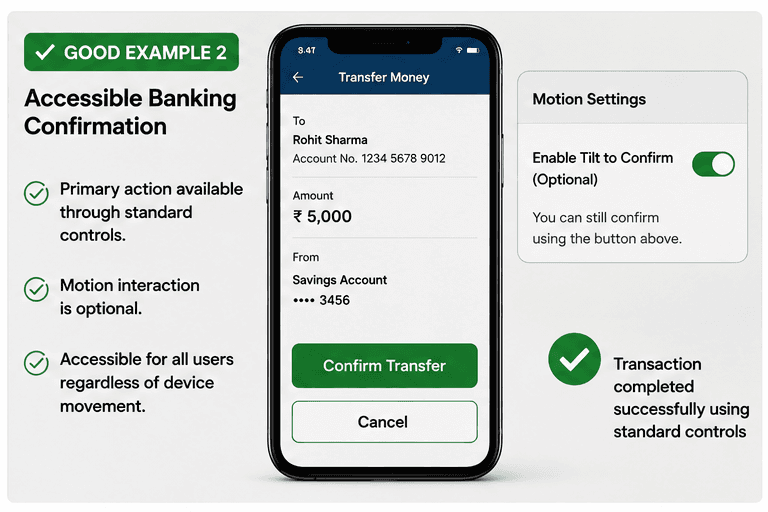
Good Example 2 – Accessible Banking Confirmation
html live code
<button type="button">Confirm Transfer</button>
<label><input type="checkbox" /> Enable Tilt to Confirm (optional)</label>
Why this is correct (developer logic):
- Primary action is available through standard controls.
- Motion interaction is optional.
- Accessible for all users regardless of device movement.
Implementation Checklist
Progress0 / 5 completed (0%)
Knowledge Check
Answer Yes or No to test your understanding of motion actuation.
Score: 0 / 3 · Answered: 0 / 3