
Back to Guidelines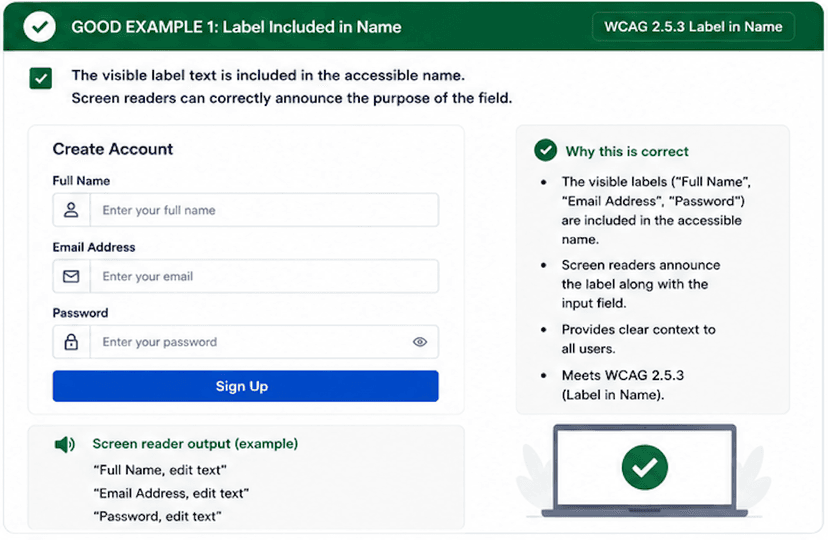
What is Label in Name?
The text users can see should be part of the accessible name so screen readers and voice input users hear and say the same wording.
When the visible label, programmatic name, and control behavior match, the interaction becomes easier to understand, announce, and activate.
- Keep the visible label inside the accessible name.
- Use proper label-to-field associations for forms.
- Make sure speech input users hear the same words they see.
Good vs Bad Examples
Use the tabs to compare the accessible pattern with the example to avoid.
Good Example 1 – Label Included in Name
html live code
<label htmlFor="full-name">Full Name</label><input id="full-name" type="text" />Why this is correct (developer logic):
- The visible label is part of the accessible name.
- Screen readers announce the field purpose clearly.
- Voice control users can match what they see with what they say.
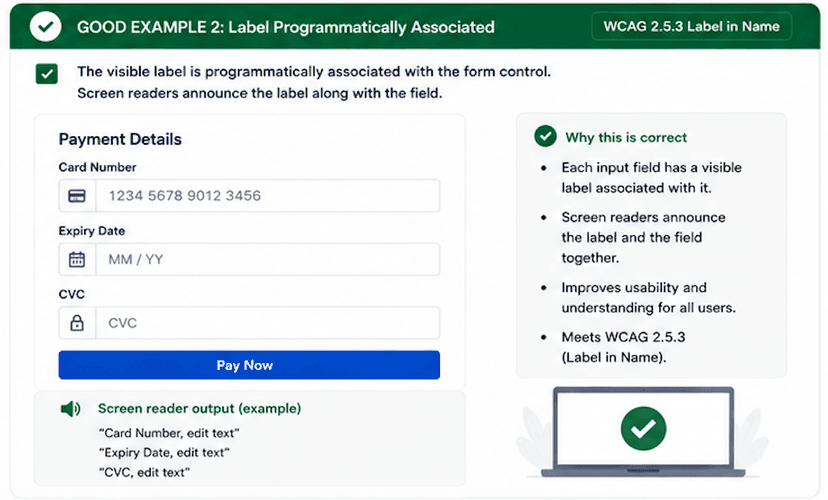
Good Example 2 – Label Programmatically Associated
html live code
<label htmlFor="email">Email Address</label><input id="email" type="email" />Why this is correct (developer logic):
- The label and field are linked in code.
- Assistive technologies announce the correct field name.
- The interaction stays predictable across input methods.
Implementation Checklist
Progress0 / 5 completed (0%)
Knowledge Check
Answer Yes or No to test your understanding of label in name.
Score: 0 / 5 · Answered: 0 / 5